Skip to product information
1 of 7

luminasluxe

X25 3-Speed TEC Clip-On Phone Cooler for Gaming

X25 3-Speed TEC Clip-On Phone Cooler for Gaming

Regular price $29.99 USD
Regular price $2.33 USD Sale price $29.99 USD
Sale Sold out
颜色分类
Quantity
X25 • TEC GAMING COOLER

Stay Cool.
Keep Playing.

Active semiconductor cooling, three power levels and an adjustable clip for demanding mobile gaming, streaming and everyday high-load use.

TEC Cooling 3 Levels RGB Lighting USB-C Powered
X25 TEC semiconductor phone cooler for gaming
Important: This is a wired cooler with no built-in battery. Keep it connected to a 5V/2A USB power source during use.
X25 phone cooler four key product upgrades
Built for heat

More than a standard cooling fan

The X25 combines a thermoelectric cooling module with active airflow. Heat moves from the phone-facing cold plate through the TEC chip and heat sink, while the fan exhausts warm air away from the device.

It is designed for gaming, cloud gaming, emulation, livestreaming, navigation, recording and extended video calls. Performance varies by phone, workload, case and room temperature.

X25 large cold plate for fast phone cooling
Direct heat transfer

A larger cold contact area

The smooth plate sits against the back of the phone to create a direct thermal pathway. Remove thick, leather or insulated cases for better contact.

23 × 23 × 4 mm plateApprox. 54 g
X25 TEC cooling system exploded component view
Inside the X25

Layered cooling architecture

Cold contact plate
Creates the direct heat-transfer surface.
TEC cooling chip
Actively moves heat away from the phone-facing side.
Heat-sink fins
Increase surface area for heat dissipation.
Turbo fan
Moves warm air away from the heat sink.
X25 phone cooler three adjustable cooling levels
One-button control

Three cooling levels

01 Quiet

Reading, browsing and lighter use.

02 Balanced

Video, social apps and moderate loads.

03 Max

Gaming, streaming and heavier loads.

X25 low-noise phone cooler for focused gaming
Focused sessions

Low-noise cooling design

The supplier rates noise at up to approximately 25 dB under its own test conditions. Actual sound varies with the selected level, mounting surface, power source and environment. The low-noise motor is designed to reduce distractions during gaming and voice chat.

X25 phone cooler with dynamic RGB lighting
Gaming aesthetic

Dynamic RGB lighting

A vivid RGB light ring adds a futuristic look to gaming desks and livestream setups. Lighting activates when the cooler is powered—no app or Bluetooth pairing required.

X25 USB-C powered wired phone cooler
Continuous power

Plug in and cool

Connect the included cable to a reliable 5V/2A USB source. External power lets the cooler operate continuously without waiting for an internal battery to recharge.

The USB-C port powers the cooler only.
It does not charge your phone. A wall adapter is not listed in the package contents.
X25 adjustable clip compatible with most smartphones
No MagSafe required

Adjustable clip for wide compatibility

The spring-loaded clip is designed for a wide range of iPhone and Android models. Compatibility depends on phone size, case thickness, camera placement and side-button position.

Open the clip gently, center the plate over the phone’s heat area and make sure the soft contact points sit securely before connecting power.

X25 smooth cooling plate and engineered airflow
Everyday protection

Secure contact and open airflow

The smooth phone-facing plate supports direct contact, while the vented outer shell helps keep air moving. Do not block the intake or exhaust while holding the phone.

X25 phone cooler dimensions and power specifications
PRODUCT DATA

Specifications

Model X25
Cooling TEC semiconductor + fan
Cooling levels 3
Power input 5V / 2A
Port USB-C
Built-in battery No
Lighting Tri-color RGB
Approx. size 8.4 × 5.5 × 4 cm
Approx. net weight 54 g
Cold plate 23 × 23 × 4 mm
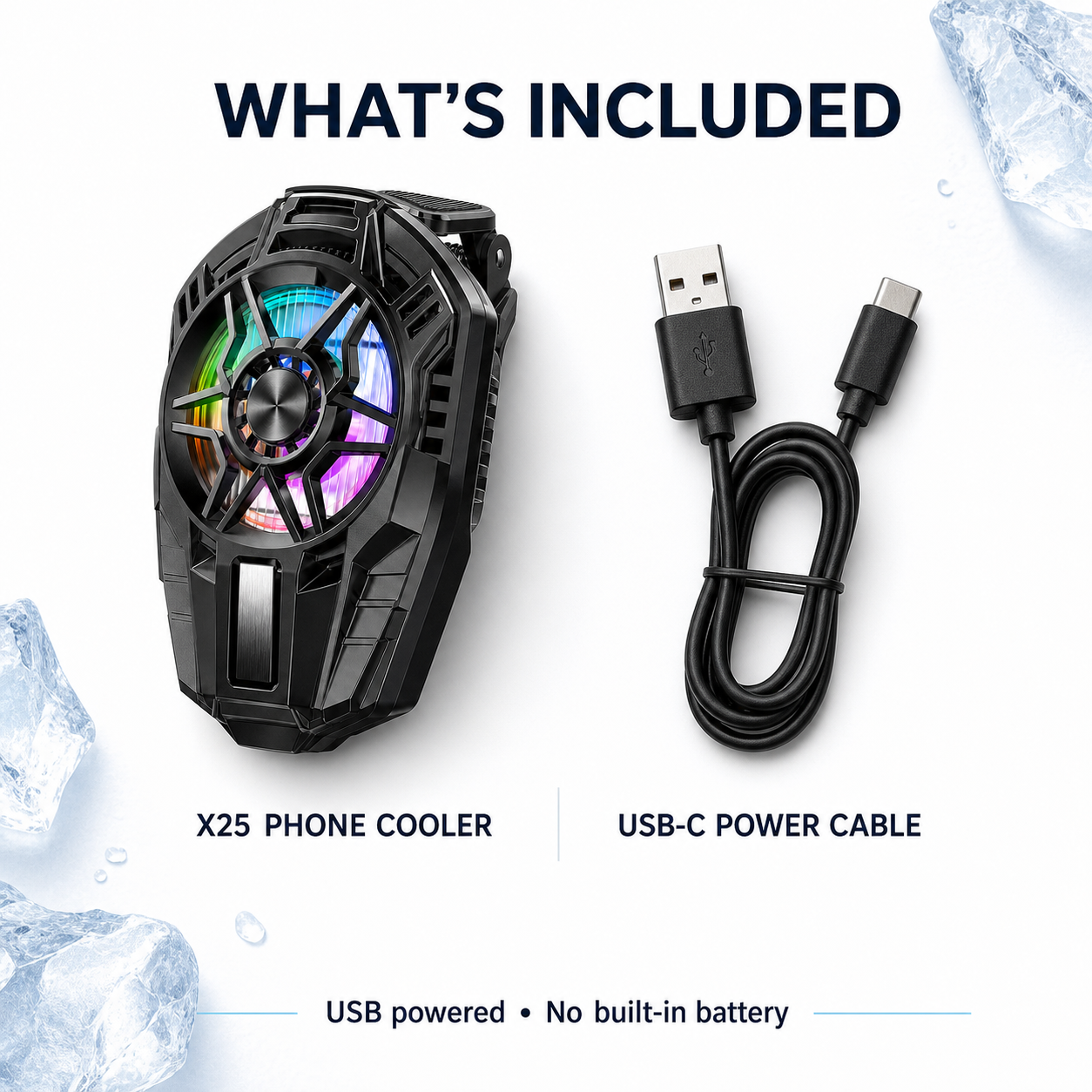
X25 phone cooler package contents
In the box

Everything you need to start

1 × X25 Cooler1 × USB Cable1 × Retail Box1 × QC Card
QUICK START

How to use

1Remove a thick or insulated case if necessary.
2Open the adjustable clip and position the cold plate over the phone’s heat area.
3Confirm the clip is secure and does not press important buttons.
4Connect the included cable to a 5V/2A USB source.
5Select your preferred cooling level.
6Disconnect power before removing or repositioning the cooler.
NEED TO KNOW

Frequently asked questions

Does it have a built-in battery?

No. The X25 must remain connected to USB power during operation.

Does it charge my phone?

No. The USB-C port powers the cooler only.

Can I use it with a case?

Some thin cases may fit, but direct phone contact generally transfers heat better. Thick or insulated cases can reduce cooling.

Does it fit iPhone and Android?

The adjustable clip fits a wide range of phones. Fit depends on phone size, case thickness, camera and button placement.

Does it display CPU temperature?

No. This X25 does not read the phone’s internal CPU temperature.

Can condensation form?

Yes, especially in humid conditions. Stop use and dry both devices if moisture appears.

Safety note: Cooling results vary by phone and environment. Condensation can form in humid conditions. Disconnect power immediately if moisture appears.
View full details